
WordPress password reset email not arriving? What to check
You click Lost your password? and nothing shows up. It's fixable, usually in minutes. Here are the checks in order, and the fix that works for most sites.

You click "Lost your password?", type in your email, and WordPress tells you a reset link is on its way. You wait. You refresh. Nothing. Or it's your members writing in, saying they can't get back into their accounts.
You didn't break anything, and this is fixable, usually in a few minutes. Here's the short version: check the quick things first (spam folder, the address, a second inbox), and if the email still doesn't show up, the cause is almost always how your site sends mail. The fix is to send it through an authenticated sender. We'll go in that order.
Check the spam folder and the address first
These take two minutes, and they catch more cases than you'd expect.
- Look in spam, junk and any "Promotions" or "Other" tab. Search your inbox for "password reset" or for the name of your site.
- Check you're typing the address that's on the account. WordPress sends the link to the email saved on the user profile, not to whatever you happen to use now. If you have more than one address, try the others.
- Try the username instead of the email, or the email instead of the username. WordPress accepts either.
- Wait a few minutes before you try again. Every new request can make the older link stop working, so a burst of clicks can leave you holding a dead one.
If the email turns up in spam, you've found a problem, just a smaller one. Skip down to the section on the real cause, because the next email will probably land there too.
Test with a different email address
Here's a quick test that tells you a lot. Request a reset for an account that uses a different kind of address: if your own is on Gmail, try one at Yahoo, Outlook or your own domain.
- If one provider gets the email and another doesn't, the receiving side is filtering or rejecting your site's mail. That points straight at authentication.
- If nobody gets it, WordPress may never have handed the email off at all, or your host is blocking it on the way out.
Either way, you've narrowed it down without touching a setting.
The real cause: your site sends mail with no proof it's really you
Out of the box, WordPress hands every email to your web host's PHP mail. Think of it as an envelope with no return address and no signature. Many hosts block or throttle that kind of sending, and the ones that don't send it unauthenticated.
Since February 2024, Gmail and Yahoo require senders to authenticate their mail. When your reset email shows up at Gmail without a DNS record that proves it really came from your domain, Gmail checks its ID at the door and turns it away, or waves it into spam. Your site gets no say in it, and you usually find out from a locked-out user.
Your reset form is fine. What's missing is a sender that signs the email properly.
Fix it once: send WordPress mail through an authenticated sender
For most sites, this is the one fix to do first. Don't spend an afternoon rewording the email or reinstalling plugins. Route all of WordPress's mail through a service that authenticates it, and the password reset email goes along with every other email your site sends.
If you already use a sending service you're happy with, a free SMTP plugin is all you need to connect it. If you'd rather not become an email admin, that's where we come in. SendWP is a plugin that sends your WordPress email through our sending infrastructure instead of your host's PHP mail, and it helps you authenticate your domain.
Here's what the setup looks like:
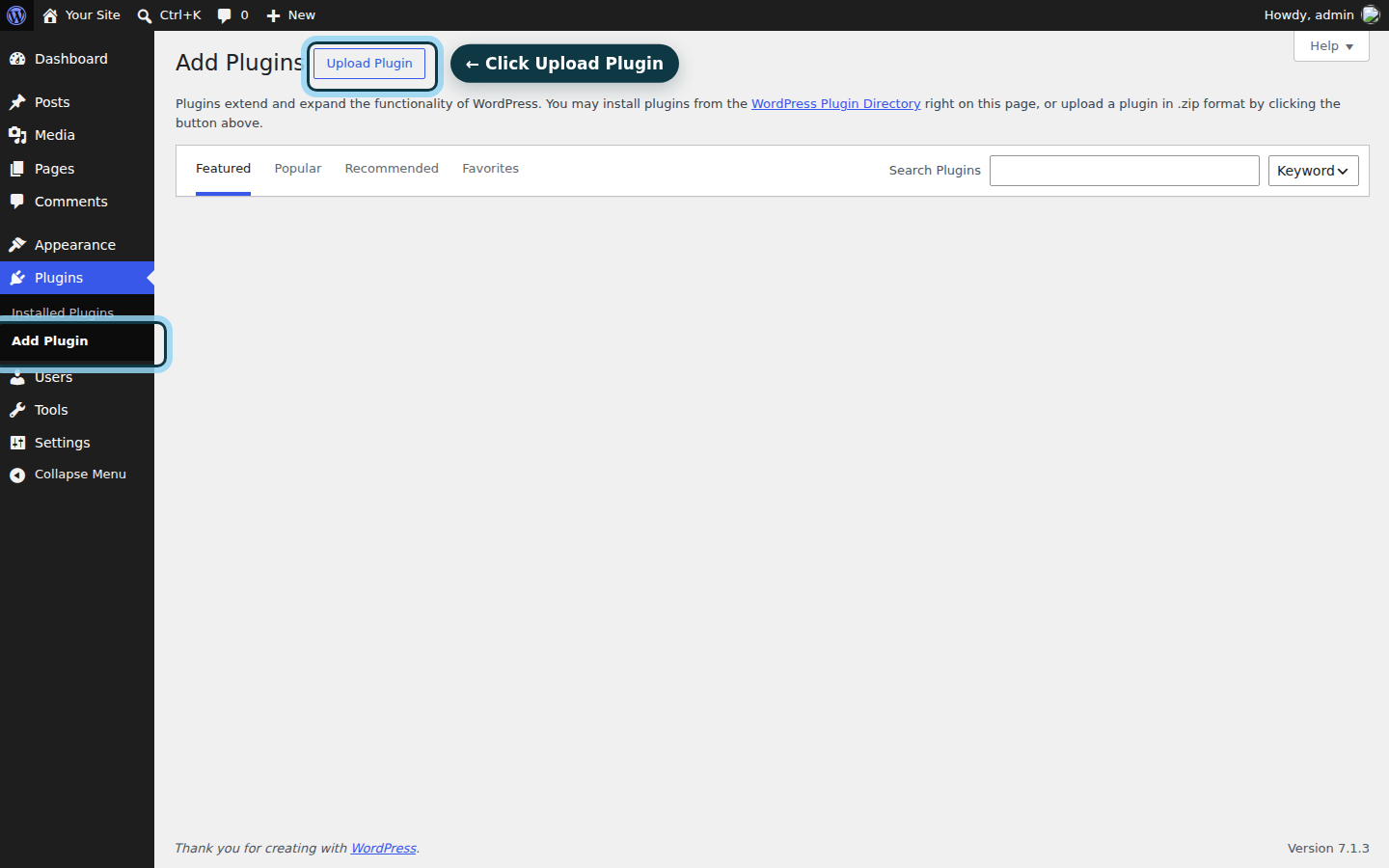
- Download and install the plugin. Our getting started guide shows each screen.
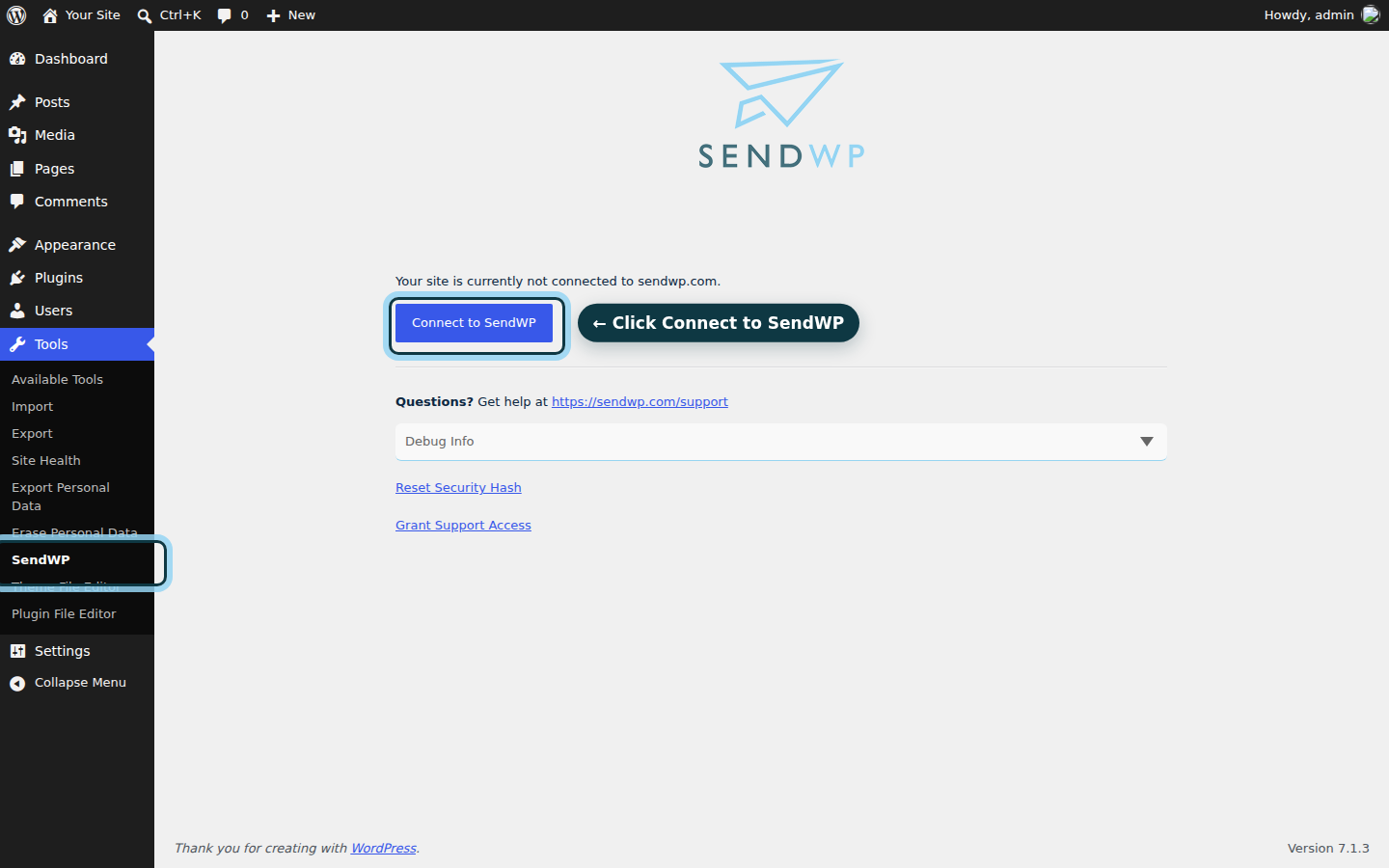
- Activate it, then go to Tools > SendWP and connect your site.
- Follow the domain authentication help so your emails carry proper ID. Use a From address on your own domain.
- Request a password reset again and see if it arrives.
One thing to avoid: adding a second SPF record to your domain when you already have one. Two SPF records on one domain break SPF entirely. If you have one, edit it instead of adding another.
Use the email log to see what happened
Once your mail goes through SendWP, you can look at the email log (we keep 30 days of it) instead of guessing. Request a reset, then find the email in the log.
- If it's there, your site handed it over and sent it. Any remaining problem is on the receiving end, so check the address and spam folder again.
- If it's not there, the email never reached SendWP: WordPress didn't send it, or something sent it another way. Look at what's stopping the reset itself, such as a plugin that changes the login flow.
That one look saves a lot of back and forth. If the error you're seeing is the "The email could not be sent" message, we wrote about that one separately: WordPress password reset email not sending.
Membership and course sites: a lost reset is a lost customer
On a blog, a missing reset is an annoyance. On a membership or course site, it's someone who paid and can't get in, and they won't wait long before they write to you for a refund. Password resets, welcome emails and enrollment emails all go out the same way, so if one is missing, the others probably are too.
Send a test reset to yourself on a different provider after you fix your sending, and do it again any time you change hosts or DNS. It's the cheapest check you'll ever run.
Running a donation site? Donor emails have their own gotchas, and we covered them in GiveWP donation emails not sending.
If you're locked out of wp-admin
Here's the limit, in one plain sentence: if you're locked out of wp-admin and the reset email never arrives, you may need access through your host or the database to get back in.
If another admin can still log in, they can set a new password for you from your user profile in the dashboard, with no email at all. Then fix the sending, so the next reset works.
Get your reset emails arriving
You've got this. Check spam and the address, try a second inbox, and then fix the cause by sending through an authenticated sender. If you'd like us to do that part, get started with SendWP for $1 your first month.