
Forminator Not Sending Email Notifications
Forminator says the email was sent, but nothing reaches your inbox? Find your saved messages, check the recipient and sender, and see where it stops.

Forminator not sending email? Your visitor fills in the form, sees the thank-you message, and nothing reaches your inbox. You find out when someone asks why you never wrote back.
Maybe you even pressed Resend Notification Email, and Forminator answered "Notification Emails have been sent successfully." Still nothing, even in spam.
Maddening? It isn't your fault, and it's fixable. Your messages are very likely still in Forminator, so read those first, then find where the email stops.
Your messages are very likely still in Forminator
Forminator stores submissions by default, and saves the entry before it tries the email. Read what you've missed:
- Go to Forminator > Submissions.
- Choose Forms, pick your form by name, and click Show Submissions.
- Open an entry to see everything your visitor typed.
Reply to them by hand today. Entries are kept only while Store Submissions in Database is on (your form's Settings tab, under Data Storage), so leave it on. If a message you expected isn't there, skip to the missing-entry section.
Forminator doesn't tell you whether its email went
With Forminator not sending email, nothing on screen tells you. We made the send fail on a test site:
- The visitor still saw the form's success message, and the entry was saved.
- The saved entry showed nothing about the email: not sent, not failed, not skipped.
- Resend Notification Email reported success while the send was failing.
So don't use that button as your test.
Check where the notification goes and whether a condition skips it
Open your form from Forminator > Forms and click the Email Notifications tab. A new form has one notification, labelled Admin Email. Open it.
On its Recipients tab, read the address, and change it if that isn't an inbox you read. It was filled in with your site's admin email when the form was created, and on a test site the notification kept going to that address after the admin email changed.
Then open the Conditions tab. If a rule there rules a submission out, Forminator skips the email and says nothing: in our test the visitor still saw the success message and no email was attempted. Remove any rule you didn't mean to set.
Make the sender an address you own on your own domain
Unless you've set one, Forminator sends from noreply@ followed by your site's host name. On a site still on a temporary domain, that means noreply@ the temporary host, so if that's you, do this first.
Why bother on a normal domain? Forminator's documentation says some hosts and email services won't allow an unverified From address. A From Email on the notification's Advanced tab overrides this setting, so leave that one empty.
- Go to Forminator > Settings, open the General tab and find the From Headers section.
- In Sender email address, enter an address you own on your site's own domain.
- Click Save Settings.
Your notifications now carry a From address that's yours. That's the first thing to get in order, not a promise of delivery.
Is Forminator not sending email, or is the email getting lost later?
A mail log records each email WordPress is asked to send. WP Mail Logging is a free one; it records only while active, so install it before you test.
- Go to Plugins > Add Plugin, search WP Mail Logging, then install and activate it.
- Submit your form with your own details.
- Click Email Log in the admin menu.
- Find the row for your test, check that Receiver shows the address you expect, and read the Error column.
An empty Error column means WordPress was asked to send and reported no problem, not that the email was delivered. If the receiver is right and nothing reaches your inbox or spam folder, skip down to the sending side.
Text in the Error column means WordPress reported that its own send failed. We'd look at the sending side next for that too.
No row at all? The notification never reached WordPress's mail function. Recheck the Conditions tab and the next section; failing those, Forminator's documentation says a conflict with your theme, another plugin or custom code is likely.
For a missing entry or "Something went wrong.", check storage and spam handling
If your form is new and your site doesn't run Akismet, neither setting is your cause. Otherwise, look for these signs:
- Your visitor saw "Something went wrong." That's Forminator's default message when Akismet judges a submission to be spam and the form's spam handling is Fail Submission. Nothing is saved and no email is sent.
- Your visitor saw the thank-you message and the entry isn't in Submissions. Check two settings: whether Store Submissions in Database is off, and whether spam handling is Mark as Spam. With Akismet active, a submission it judges to be spam is then saved, kept out of Submissions and sent no email.
Spam handling is on your form's Behavior tab, under Security; choose the behavior you want there, and turn storage back on if it was off.
When the email is handed over and never arrives, fix the sending side
If the log shows your notification going to the right address and it never turns up, or WordPress reported an error, that's the problem we built SendWP for, so it's what we'd suggest.
SendWP is a paid service. Once your site is connected, every email WordPress sends goes out through SendWP instead of your web host's mail.
Google requires everyone who emails Gmail accounts to set up SPF or DKIM, DNS records that prove an email really came from your domain. That's a separate step from connecting, and SendWP helps you with it. Our Getting Started page covers how to install the SendWP plugin and connect it:
- Go to Plugins > Add Plugin, search SendWP, click Install Now, then Activate.
- In the notice at the top of the screen, click Connect or register.
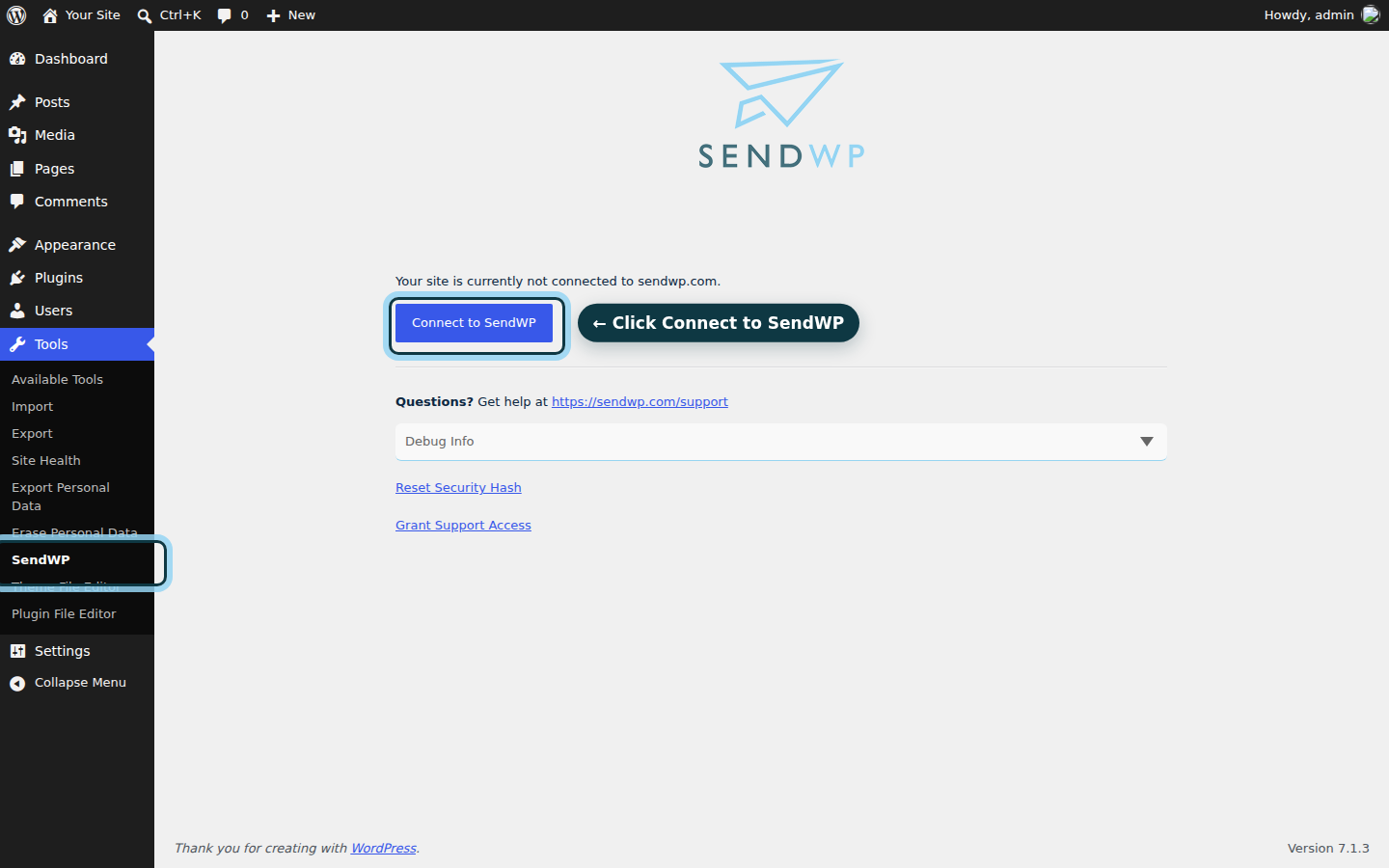
- On the Tools > SendWP screen, click Connect to SendWP, then register or log in and follow the prompts to authorize the connection.
- Submit your Forminator form again with your own address and check your inbox.
On our test site connected to SendWP, the Forminator notification arrived, and SendWP's email log listed it as Sent. We had left Forminator's sender at its noreply@ default. Until you add your domain's DNS records and use a From address on your own domain, your emails won't carry your domain as their sender, so set your sender as above and add those records.
Using Ninja Forms elsewhere? Read why Ninja Forms emails aren't sending.
Get your Forminator notifications reaching your inbox again
You started with a thank-you message and an empty inbox. Now you know where your messages are, and not to take Forminator's word that an email went. The recipient, a stray condition and the sender address are yours to fix, for free.
With SendWP connected, every notification Forminator sends shows up in your SendWP email log with its status, so you're no longer guessing whether it went. If your emails are handed over and still go missing, we believe it's the best option. You can get started for $1 your first month.