If your emails aren’t sending, your IP address may be listed on Spamhaus. Spamhaus is a widely used third-party service that prevents spam and abuse in email systems. If Spamhaus flags your IP address, you may not be able to send your marketing or transactional emails. But don’t panic — you can take action and remove your IP from Spamhaus’ block lists.
Understanding Spamhaus and how to manage your IP address’ reputation is crucial for maintaining reliable email communications. Let’s explore what Spamhaus is, how it works, and how to remove your IP address from it.
In this article
- What is Spamhaus?
- How did I end up on the Spamhaus IP block list?
- How to remove your IP address from Spamhaus
- Reputation and deliverability
What is Spamhaus?
Spamhaus is a non-profit organization that tracks and combats spam and other related cyber threats. Founded in 1998 by Steve Linford, Spamhaus has become one of the most trusted authorities in spam prevention. The organization operates several real-time blocklists (RBLs) that help email providers and network operators filter out unwanted and harmful traffic.
Spamhaus maintains various lists, such as the Spamhaus Block List (SBL), which identifies IP addresses known to be sources of spam, and the Exploits Block List (XBL), which includes IP addresses compromised by malware. By collecting extensive data and collaborating with cybersecurity experts, Spamhaus aims to protect internet users from spam, phishing, and other malicious activities.
How did I end up on the Spamhaus IP block list?
Several behaviors can trigger Spamhaus to flag an IP address. Understanding these can help you avoid an RBL listing.
Sending spam
Sending unsolicited bulk email is one of the most common reasons Spamhaus will flag an IP address. If Spamhaus notices your IP address is sending large volumes of spam emails — which can overwhelm recipients and lead to complaints — that’s a massive red flag.
To avoid this, be sure you’re only sending emails to recipients who have explicitly opted-in to receive them and that your campaigns follow best practices for email marketing — including Gmail and Yahoo’s recent policy updates.
Compromised servers
If your server has been compromised by malware or is part of a botnet, it can end up on the XBL. Cybercriminals often exploit vulnerable servers to send spam or perform other malicious activities without the owner’s knowledge.
Regularly updating your software, using strong passwords, and implementing robust security measures can help protect your server from being hijacked and used for nefarious purposes.
Bad email practices
Engaging in poor email practices, such as sending emails to outdated or purchased lists, can result in high bounce rates and numerous spam complaints. These activities signal to Spamhaus that your IP address might be associated with spamming behavior.
Always use clean, verified email lists and follow best practices for list hygiene to ensure that your emails are reaching intended, willing, and interested recipients.
Open relays or proxies
An open relay or proxy server allows anyone on the internet to send emails through your server, which spammers can easily leverage. If Spamhaus detects that your server is configured as an open relay or proxy, it will flag your IP address.
Properly configure your server to prevent unauthorized use, and regularly audit your settings to ensure they comply with security standards.
User reports
When recipients mark your emails as spam, it tells their email service providers (ESPs) the messages are unwanted or potentially harmful. These reports can lead to Spamhaus adding your IP address to one of their block lists.
To minimize the risk of user reports, make it easy for recipients to unsubscribe from your emails, ensure your email content is relevant and compelling, and maintain email list hygiene. Email analytics are essential for maintaining a clean list. For example, when you notice certain recipients never open or engage with your content, remove them from your email list.
Spam traps
Emailing spam traps can also land you on a Spamhaus block list. Spam traps come in a few forms. Sometimes, they’re fake addresses created solely to catch spammers. They can also be addresses that were once valid but have been abandoned and then repurposed as spam traps. Or, they’re addresses that look legitimate but have subtle typos, such as address@gmaiil.com.
These addresses are strategically placed in locations likely to be targeted by spammers, like in hidden fields of web forms. To avoid hitting spam traps, never purchase or mine email lists, use a double opt-in protocol, and maintain your email list hygiene.
How to remove your IP address from Spamhaus
If your emails aren’t sending, verify whether your IP address is listed in Spamhaus. Start with Spamhaus’ IP and Domain Reputation Checker. Enter your IP address and click “Lookup.”

If your IP address isn’t in Spamhaus after all, it’s time to investigate other potential deliverability issues. You can also reach out to us for support.

If your IP address appears on a Spamhaus block list, you’ll see an alert. Click the yellow “More Info” button to learn more.
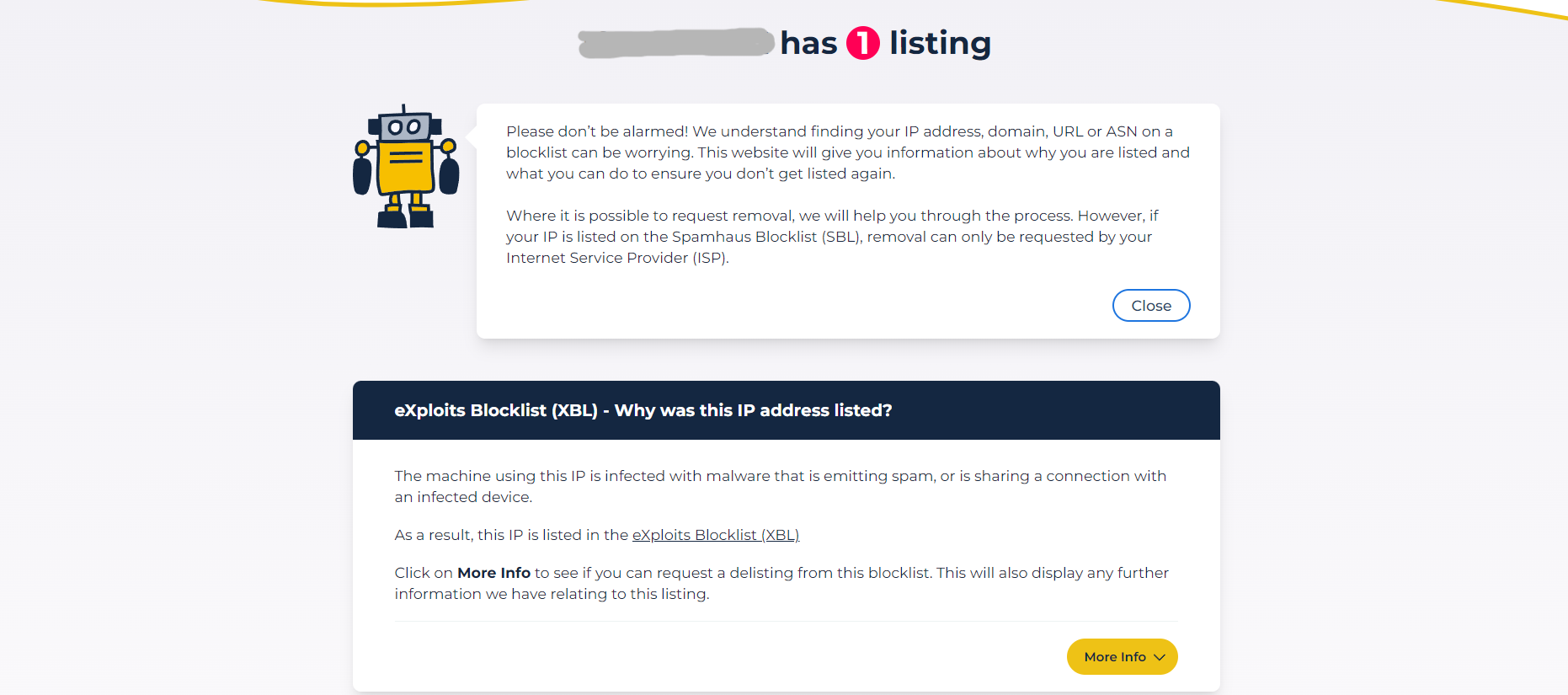
Spamhaus provides essential information about why they’ve listed your IP address. Use these details to investigate any issues. You must take direct steps to solve the problems identified by Spamhaus before you request delisting. If the solutions are out of your area of expertise, consult with your security administrator, hosting provider, or internet service provider (ISP) for assistance.
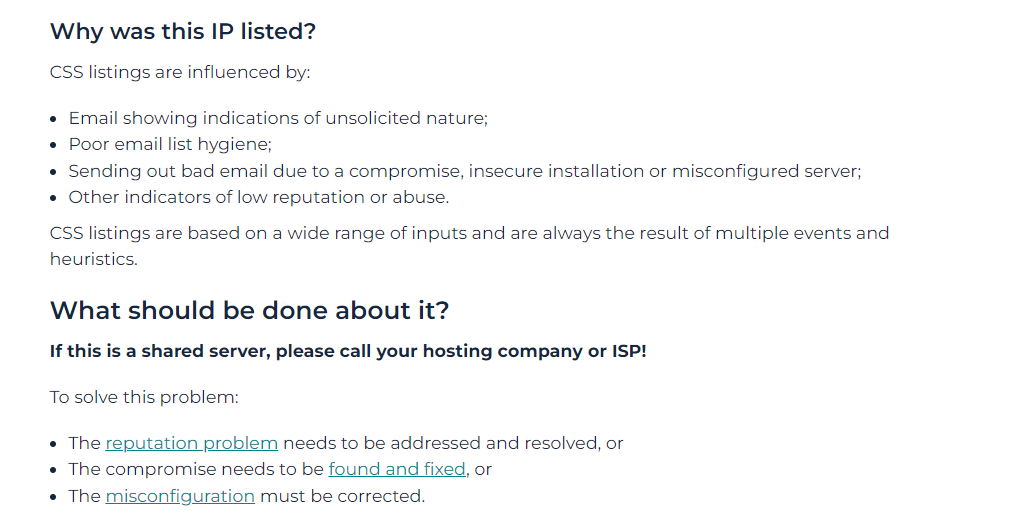
Once you’ve taken steps to correct the issues, click the yellow “Next steps” button to request delisting. Note that in some cases, Spamhaus requires your ISP to request delisting on your behalf. In this case, contact them with the relevant information, including Spamhaus’ alerts and any corrective actions you’ve taken.

Fill out the web form to complete your delisting request. Always make sure you’ve addressed the errors caught by Spamhaus before you request delisting. If you haven’t solved the issues, Spamhaus may relist your IP, or even permanently block you.

Keep in mind, if you’re struggling with deliverability for only a few email addresses, Spamhaus may have flagged a recipient’s IP address, not yours. They can follow the steps outlined above to address the problem.
Reputation and deliverability
Maintaining a good IP reputation is essential for any email sender. A Spamhaus listing can severely impact your ability to send emails, since it indicates potential spamming or security issues.
By understanding Spamhaus and addressing any underlying problems with your IP address, you can restore both deliverability and your sender reputation. Remember, it’s not just about avoiding service disruptions. Protecting your IP also fosters trust and reliability with your contacts and customers.
Ensure continued use of SendWP
It’s important to note that repeated listings on Spamhaus, including if you’ve delisted yourself only to reoffend, can result in a permanent ban from SendWP, as this behavior is seen as intentionally abusive. To prevent this, ensure that you address and resolve the underlying issues flagged by Spamhaus. By maintaining good email practices and a strong IP reputation, you can ensure continued use of our email services without interruptions.
Let SendWP Handle Your Emails!
Say goodbye to email delivery headaches with SendWP. Our efficient and reliable solution ensures that your important messages reach their destination on time, every time.

I talked with Matt and he provided wonderful customer service. In a ecosystem of developers and plugin authors, SendWP stands out in a great way by offering respectful and helpful service. It’s not enough to have a great plugin, but to also have great customer skills. I think that’s how the cream rises to the top. Thank you Matt and SendWP!